A member about to write to someone new may wonder how long the message should be, how quickly it should go out, or what it should say. We offer several ways to write on YourAgeMeets, from a quick line to a full letter — and this guide explains what each one does and when it fits, so the choice becomes easier.
Keep a Short Exchange Moving With Live Chat
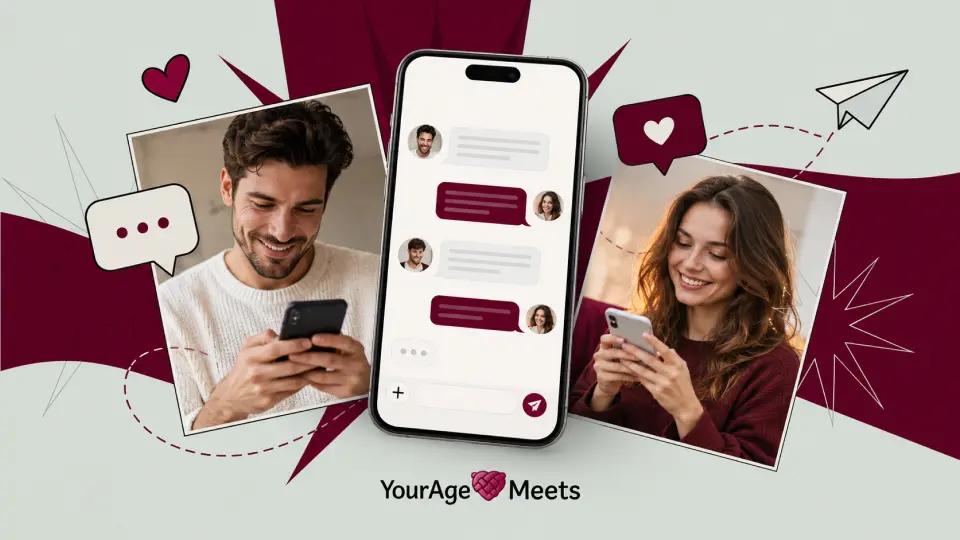
Some exchanges are quick by nature: a question, a one-line answer, a follow-up. We built live chat for that rhythm. YourAgeMeets chat keeps both sides in a single thread, with messages appearing as they're sent, so a short exchange doesn't turn into a long wait. Every active conversation sits together on the messages page, which makes it easy to pick a thread back up later, and the notifications area lists new messages so a reply is easy to spot. A reply doesn't have to arrive right away — a thread simply waits until someone writes again. A fee applies when a member sends chat messages or stickers.
Give a Longer Story Room in Letter-Style Messages
Other topics need paragraphs, such as describing a recent trip, explaining a hobby in some depth, or answering a question that deserves more than a line. That's why we built longer messages.
YourAgeMeets mail reads like a letter, with room for detail and space to attach photos, and it gives a thoughtful reply the space it needs — without squeezing it into a line. A member who's been asked about a favorite city, for instance, can describe it over three paragraphs and attach a couple of pictures.
Conversations often settle into a rhythm. Live chat covers the back-and-forth, and longer messages take over when a topic deserves more attention. Received letters collect in the mailbox, where they can be read and answered when there's time to do them justice.
What Is YourAgeMeets and How Does Messaging Fit In?
We created YourAgeMeets for written conversation that fits around a busy week, when schedules rarely line up and a message can wait for a free moment. Writing sits at the center — nothing pushes a conversation to move faster than its members want.
Write a First Line Without Starting From Scratch
A first line is often the hardest one to write, and a member who'd like to start several conversations in one sitting faces that hurdle repeatedly. We built YourAgeMeets icebreakers for that situation. They're conversation starters prepared in advance, which a member can select, reword, and send to a few members at once. Inside an existing conversation, a separate collection of lines helps open or continue a one-on-one exchange, and a member can save a personal line there too, a different tool for a different moment.
Whichever route a member chooses, a message that points to something in the other profile tends to read more naturally. A few ideas to adapt:
-
"Your photos from the coast made me curious. Where was that taken?"
-
"I noticed we both listed cooking. What's the dish you make most often?"
-
"I'm still exploring the platform. What would you suggest trying first?"
Searching by country, age, and gender narrows the profiles worth writing to, and choosing search filters covers the options.
Small Extras That Make Conversations Easier
Beyond the main formats, YourAgeMeets has three smaller tools that cover situations that come up often.
-
Photo sharing: Sends a picture straight into a conversation when showing is easier than describing, such as a view from a recent walk or a project in progress. Photos follow the same content guidelines as the rest of the platform, which rule out adult content and anything that infringes copyright.
-
Stickers: Add an expressive touch when plain text feels flat.
-
Drafts: Store anything typed but not sent, so a member can come back and finish at an unhurried pace, which helps when a reply deserves some thought.
Tips for Writing Clear, Comfortable Messages
Conversations can pause and resume — there's no pressure to reply quickly. A few habits make that easier on both sides.
-
Answer what was asked before introducing a new topic, so the other person feels heard.
-
Keep a first message short, since a single question is easier to answer than three.
-
Reread before sending.
-
Write in complete sentences, which keeps a message easy to follow.
-
Do not share an address, phone number, or other contact details early in a conversation.
-
Use the block option when contact is unwelcome, and report any message received through the abuse report button on the profile.
YourAgeMeets Messaging Questions Answered
Is YourAgeMeets legit?
The platform describes its approach through process. Moderation covers publicly visible content such as profiles, profile photos, and posts, members can report abuse from any profile, and the block option stops contact. Support responds to questions about any of these tools. An automated system also flags irregular payment activity as it happens.
What is the difference between chat and longer messages on YourAgeMeets?
Live chat is a back-and-forth thread suited to short messages. Longer messages are letter-style, support attached photos, and leave room for detail. Both are written formats, and members choose whichever fits the moment. A fee applies when a member uses these messaging features, so it helps to check before sending.
How does the YourAgeMeets login work?
The login link sits in the upper right corner of the site. Members enter their email address and password, then use the login button, and it works in common browsers on desktop and mobile. A forgotten password can be reset through the forgot password link, and persistent trouble can go to [email protected].
Writing the First Message When You're Ready
A first message doesn't need to be perfect, only specific enough for someone to answer. Whenever you'd like to begin, you could pick one detail from a profile and write a line or two, then see how the conversation unfolds. YourAgeMeets leaves the pace to you, whether that's a quick reply tonight or a longer letter later in the week.